Friday, April 13, 2012

Bye bye Mr.Stitch

Today is Saturday... for the 2nd week.. so before start bebel tenun pic budak gebu gorgeous ni dulu...


Ok dah puas tatap.. So arini kena keje half day... Biasalah keje swasta ni.. kene koje arini Sabtu.. fuhhh... keje keje keje... arini bos masuk lak.. setelah bercuti 2 hari... so 2 ari yg lepas ni memang aku hepiii hepii enjoy enjoyy borak borak and the gossip dengan ketenangan dan kedamaian yang berlipat lipat lipat kali gandanyee... cettt.. tak boleh terungkap dengan kata2 lah kan huhu...

So arini dok usha my office mate yg setia duduk teman aku kat meja sepah ni wat keje...

Ni nama dia Mr.Stitch.. keje dia goyang2 kepala selagi ade tenaga solar.. kalau aku tension wat keje.. pandai Mr.Stitch.. jadi giler goyang pale mcm dia...

Yang pulak cik teddy with the cj7 sofa.. teman tido atas meja.. haha.. tido je kat meja hug dia.. bcoz dia ckp Hug Me...

Yang ni lak Cawan Smile.... tanpa dia.. aku tak lalu nak breakfirst tauuu.... si cawan smile ni selalu kena culik dgn geng2 lain wat bekpes...

dah kenal diorang??.. sooo... bcoz ape aku usha diorang ni?? bcoz...... next week... the whole week i will not be with all of them... this is because....


  1. Monday cuti... because bring forward cuti Ahad - Declaration of Malacca as a Historical City.. opss.. Malacca Only!!! Negeri lain koje ye kengkawan...
  2. So dah cuti senin.. mesti lah terasa nak sambung cuti Selasa kan.. lalalala....
  3. Rabu?? - Gi training.... jauhhhhhh.... uhuk uhuk.. gi training sorang2... uwaaa....
  4. Khamis??? Training jugak... training ape ni??? haa.. ape lagi... gi training wat website.. aku tak expert buat website hahaha.... so bos halau suh pegi training.. belajo pepandai...
  5. Jumaat?? takkan nak masuk keje.. malas lah.. cuti lagi lah.. leh gi jenjalan ngeh ngeh ngeh...
  6. Sabtu lak cuti.. nape tak keje sabtu? sabtu minggu ke 3 lah dear... cuti lah.. ape barang keje..
  7. Ahad.. jgn tanye nape ahad x masuk opiss...

So.... Bye bye to all my cute2 pren... nanti eni balik opis.. kita wat koje sesame ekk.. tata euwww olsss... =D

Read more…

Wednesday, February 8, 2012

Compare date with PHP

Selalu nye kan... kalau nak wat coding PHP untuk compare tarikh mesti pening... kena wat if else utk day, month, year.... Sampai pening2... bile search on pakcik google... at last i found this simple of code yg wat my life happy sgt2... ;D

// your first date coming from a mysql database (date fields)
$dateA = '2008-03-01 13:34';

// your second date coming from a mysql database (date fields)
$dateB
= '2007-04-14 15:23';

if
(strtotime($dateA) > strtotime($dateB)){
// bla bla

}

nak tau lebih details tentang comparison tarikh ni... try browse from this source
http://www.thetricky.net/php/Compare%20dates%20with%20PHP

Wish you enjoy it... ;D

Read more…

Tuesday, December 13, 2011

Cakephp system tak run bile masuk dalam xampp

Hi kengkawan... penah tak alami problem dgn cakephp system yang tak run bila masukkan dalam xampp?... dah 2 ari dah kena problem ni... bile kat server jalan ok je.. tapi bile nak setkan kat xampp laptop problem lak.. ingatkan salah kat coding ke... tak betulkan database ke.. cek punye cek.. godek punye godek sampai penat... last2 tanye kat pakcik google je.... pakcik google ni pandai tauu... dia cakap try buat macam ni......................................


  1. Open “httpd.conf” located on “apacheconf” folder.
  2. Then uncomment the line that contains “mod_rewrite”.
  3. Pastu jangan lupa restart xampp... Stop kan apache dgn mysql.. pastu Start semula...
  4. This is needed to enable Cake’s pretty URL such as
  5. http://localhost/cake/users/view” instead of “http://localhost/cake/index.php/users/view”.

Try punye try.... tak jadi gak... nak tau tak nape tak jadi..........
Psssstttt... sebab terlupe nak ikut step pakcik google yg no.3... hihihihi....
Jangan give up... try sekali lagi.....
Pastu... yeahhh..... menjadiiiii.....
Skrg baru boleh update cakephp system yang burukkkkkkkkkkk ni kat laptop... disebabkan bukan saya yang buat system ni.. so boleh lah kutuk burukkk kan.. hahaha.... =p

Read more…

Wednesday, November 30, 2011

I cant see my file which is not hidden

Bukak2 je external harddisk... file kosong... tapi bile check capacity storage penuh je... camne nak wat? jom try cara ni... saya dah wat and it solve my problem.. ;

  1. click start>>run>>type in "cmd"
  2. type the location of your flash drive.. e.g. "d:", "e:", "f:", etc..
  3. type "dir /ah"......
  4. you will now see the files/folders with hidden attributes
  5. type "attrib [name of file/folder] -r -a -s -h"
  6. *if you're going to unhide files, you should type the whole name plus the extension (format).. example "attrib party.jpg -r -a -s -h"
    **if you have folders with 6 characters and above, type the first 6 characters then "~1".. example for folder named "birthday"
    "attrib birthd~1 -r -a -s -h"
  7. you should repeatedly type dir /ah after unhiding some files/folders so you'll know if they're now working or not..
  8. If your file name contains space like(r s agarwal) then give the file name within double quotes.
  9. now check you flash drive.. it should be there..

Selamat Mencuba... =D

Read more…

Wednesday, August 17, 2011

Solution to Fix External/Flash Drive Files Changed into Shortcuts :

The good side of these viruses is that they don’t delete the actual content. It was just hide in our Flash Drive. We can easily recover all the files.

Step 1: If you are affected by Shorcut Viruses,Do not format your Flash or External Drive. If you format you can’t Recover it.

Step 2: Check your Flash Drive’s Drive Letter ( Example : I: or K:)

Pen Drive Shorcut Virus

Step 3: Click on “Start” –>Run–>type “cmd” and click on OK

Step 4: If your Flash Drive Letter is K: then Type the below command in your “cmd” and Press “Enter

attrib -h -r -s /s /d k: *.* (Check the screenshot ) Note : Replace the letter k: with your flash drive letter

Remove Pen Drive Shorcut Virus

Step 5 : Now your files will be visible.Make sure to keep the antivirus up-to-date to prevent viruses.

Read more…

Friday, May 27, 2011

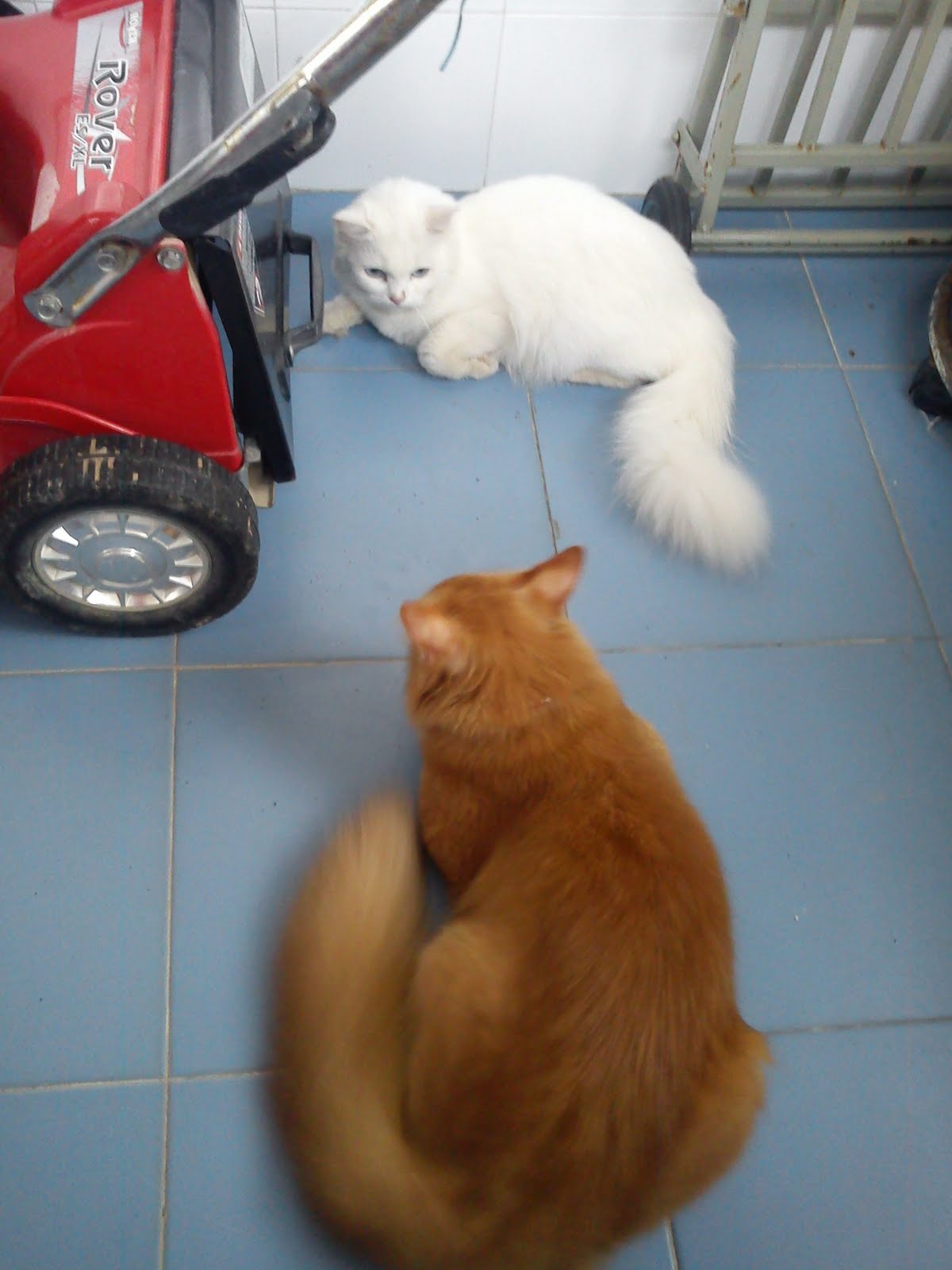
Puteh ada pakwe baru


Ni gambar puteh kecayangan cayeee.... puteh ni kucing betina yg masih dara hihihi... arini puteh kena ngorat dgn kucing kuning jiran..


Mama caye panggil kucing kuning jiran tu "husben".. bila husben dtg mama suruh caye letak puteh kat husben... puas lah husben dok kejar puteh satu umah.. tapi puteh jual mahal.. bila husben diam.. puteh golek2.. tapi bile husben kejar puteh lari lari..... macam cite hindustan lah pulak hahaha...


harap2 lah puteh dgn husben cepat kawin... tak sabar nak ade kitty gebu yg bulat bulatttttt... kawin cepat ye putehhhhhhh.... =D


Read more…

Wednesday, May 25, 2011

DVD shrink 3.2

Arini dpt belajar ilmu baruuu.... Pepagi lagi bos masuk opis suh carik DVD kosong.. puas lah dok pikir pepagi pukul 8.30 nak carik DVD kat mane ekk.. at last ade gak member opis jumpe DVD kat kedai stationery kat tepi opis ni... pastu ape lagi.. mule lah di arah untuk keje bakor membakor DVD... tengah ready click je button copy DVD kat Nero burner.. tetibe lak kuar popup kata DVD tu protected...

Alamakkkk... camne ni nak copyyy.... pikir punye pikir.. try punye try godek Nero.. tak jugak jadi.. tetibe teringat kat Pakcik Google... So ape lagi... Soley soley lah... start lah keje searhing mensearching dan baca membaca dalam forum.... tetibe jatuh cinta lak dekat satu forum ni....

Best.. sebab dia bagi link dgn suggestion ape yg nak digunakan... lepas baca dari mule sampai abis forum tu... saya pun try lah download software yang mamat2 mat salleh tu suggest kat sini...

DVD shrink 3.2

Rupe bentuk software tu macam ni....


Application ni koje dia... dia akan bukak kan protection dalam DVD... pastu copy file DVD tu shrink kan dia.. dan masukkan dalam pc kita wat sementara waktu.. lepas siap copy tu.. kuarkan DVD original dari DVD rom.. masukkan DVD kosong.. then dia akan burn kan terus utk kita... So kita tak yah susah2 nak wat folder mcm file dalam DVD original.... process ni makan masa sikit... agak2 1 jam lebih lah kena tunggu... tapi keputusannye berbaloi baloiiiii.... video pun clear mcm original...

Satu lagi kalau nak Copy from DVD9 ke DVD biasa tak boleh kan.. tapi dgn software ni dia akan shrinkkan size file dan kita boleh burn dalam DVD.. tak yah risau pasal quality.. sebab quality dia tetap same clear ;D

So lepas ni sape ade DVD best2 leh lah pinjam nak copy eyy... hihihi...

Selamat mencuba.. tata... ;D

Read more…